0
comments
Sunday, December 05, 2010
You all know my passion behind ClubHack. It started with a passion of creating a platform for information security enthusiast to come under one roof & share knowledge.


0
comments
Sunday, December 05, 2010
You all know my passion behind ClubHack. It started with a passion of creating a platform for information security enthusiast to come under one roof & share knowledge.


3
comments
Monday, October 04, 2010
MythTV is a Free Open Source software digital video recorder (DVR) project distributed under the terms of the GNU GPL. It has been under heavy development since 2002, and now contains most features one would expect from a good DVR (and many new ones that you soon won't be able to live without)


0
comments
Friday, April 30, 2010
In March this year, there were few shouts about US government forcing certifying Authorities (CAs) to had over SSL key to decrypt mail transfer. Personally I'm not worried till the time the decrypted data is with any govt but it would be a serious issue if anyone else reads my data.
0
comments
Thursday, April 15, 2010
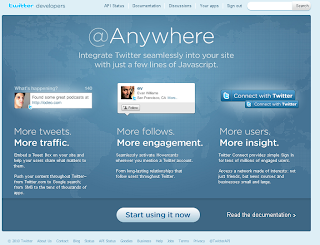
Today twitter announced public availability of @anywhere which I thought of giving a shot.
Yes it's easy to setup and works like charm

<script src="http://platform.twitter.com/anywhere.js?id=YOUR_API_KEY_HERE&v=1"></script>
<script type="text/javascript">
twttr.anywhere(function(twitter) {
twitter.hovercards();
twitter(".post").linkifyUsers();
});
</script>
1 comments
Sunday, April 04, 2010
The way internet has barged into our lives, we have been seeing the world in a very new way.
I stumbled on this image created by Byte Level research LLC which shows the new world
Each ccTLD is sized relative to the population of the country or territory, with the exception of China and India, which were restrained by 30% to fit the layout. At the other end of the spectrum, the smallest type size used reflects those countries with fewer than 10 million residents.
tags: Tech
1 comments
Tuesday, February 23, 2010
A lot of tweets today informed me about launch of Damn Vulnerable Web App (DVWA) which is basically an aid for security professionals to test their skills and tools and help web developers better understand the processes of securing web applications.
I had an old list of tools/plug-ins/utilities etc which can be helpful while playing with DVWA and I'd like to share the same for you to learn WebApp Security better.
Proxy Servers:
WebScarab: http://www.owasp.org/index.php/Category:OWASP_WebScarab_Project#Download
Burp: http://www.portswigger.net/suite/download.html
Paros: http://www.parosproxy.org/download.shtml
Firefox Plugins: [ https://addons.mozilla.org/en-US/firefox/collection/webappsec ]
Tamper Data: https://addons.mozilla.org/en-US/firefox/addon/966
SwitchProxy: https://addons.mozilla.org/en-US/firefox/addon/125
SQL Inject Me: https://addons.mozilla.org/en-US/firefox/addon/7597
XSS Me: https://addons.mozilla.org/en-US/firefox/addon/7598
NoScript: http://noscript.net/getit
ShowIP: https://addons.mozilla.org/en-US/firefox/addon/590
ViewStatePeeker: https://addons.mozilla.org/en-US/firefox/addon/7167
LiveHTTPHeader: https://addons.mozilla.org/en-US/firefox/addon/3829
Injection Tools:
SQLMap: http://sqlmap.sourceforge.net/
SQLNinja: http://sqlninja.sourceforge.net/
Pangolin: http://www.nosec.org/en/pangolin.html
Some other HACKMEs:
WebGoat: http://sourceforge.net/project/showfiles.php?group_id=64424&package_id=61824&release_id=613045
Foundstone Hacme Series: http://www.foundstone.com/us/resources-free-tools.asp
While doing webapp security testing, how can someone forget rsnake. Check out http://ha.ckers.org/ & specially his list of jailfree hacking sites @ http://ha.ckers.org/blog/20090406/hacking-without-all-the-jailtime
Happy Hacking
0
comments
Saturday, January 09, 2010
Every time you run an application on Windows box, a prefetch file is created in "c:\WINDOWS\Prefetch". This file with extension .pf keeps information for optimizing the load time of the application (as the name suggests).
I always wanted to see what's there in the .pf file. Recently NirSoft has released a tool called WinPrefetchView which can be used to see the content of these files.
image source : nirsoft.net
Note: This website http://nirsoft.net is a wonderful resource for nice tiny utilities for many system & password plays.
1 comments
Thursday, December 31, 2009
On the brighter side :)
# Shifted to Delhi from Pune.
# Bought another car.
# Worked for Commonwealth Games 2010.
# Finally got married to Stuti.
# Went to Puri & then Nainital for honeymoon.
# Delivered talks/lectures in IIM Ahmedabad & IIT Madras.
# Tajmahal & Delhi tourism with Stuti along with few more places in north.
# Decided to quit Commonwealth Games 2010.
# Organized ClubHack2009.
# Organized Indo-UK cyber security roundtable conference in ClubHack2009.
# Did wardriving in Pune again
# Worked for some serious national security projects.
# & right now baking a cake for the new year :)
On the down side :(
# No bike rides this year. Need to get back there.
# No more girlfriends, those were the days...
# Very less parties, need to party more
# Didn't organized even a single BarCamp, just attended one.
In total a very happening year. Hope to have 2010 a better one
Wish you all the readers a very happy & prosperous new year.
tags: Fun Blogging
1 comments
Wednesday, December 23, 2009
tags: Security
5
comments
Wednesday, December 16, 2009
two one za two
two two za four
two three za six
many of us have grown up mugging this and I always wondered what is this ZA, is it a synonym of "equals to" ??
Just a casual browsing today answered this long pending query of mine
its actually
two 1s are two
two 2s are four
two 3s are six
Thanks to the anonymous who clarified this thing to me today.
If we divide the whole table in columns, I always thought that its the "1st column" being counted "2nd column" times gives you the result in "3rd column". Its actually the "2nd column" counted "1st column" time gives you the result in "3rd column".
Confused? Have fun....
0
comments
Friday, November 20, 2009
Last week, Techcrunch reported rumors of the release of the Google Chrome OS. They stated that the info came from a reliable source, and indeed that source was reliable. Google had an event at their headquarters, and indeed provided new details and a demo of the Chrome OS. The Chromium Blog has some great videos that provide some additional information about Chrome OS as well.
The Chromium OS source code is available for download (Chromium OS is the open-source version of Google Chrome OS), and you can compile and build it. It took some time, but I did manage to do this on my 64-bit Ubuntu 9.04 (Jaunty Jackalope) machine. I also managed to put together a VirtualBox virtual appliance that is all ready to go. I built a torrent for it, so feel free to download it here:
Download the Chromium OS VirtualBox Appliance Torrent
Please continue to seed, as I’m sure there will be many people out there wanting to try it out.
To use it, just start up VirtualBox, click File and then Import. Navigate to the chromiumos.ovf file and select it. The virtual appliance will be imported into VirtualBox and you should be good to go.
I also included a txt file that more or less has the commands I used to build it. You may be able to run it as a script, although I haven’t confirmed that it will work. I guess you could say I more or less took “script-like notes” as I was building Chromium OS.
If you hit Ctrl+Alt+T when you first log in, you’ll get a shell prompt. You can run “sudo su” (no quotes) to log in as root, and I’ve set the password to “password” (no quotes). If you use this machine for anything serious (although I doubt you would), be sure to change the password.
You should be running VirtualBox 3.0.12, and when you import the virtual appliance everything should be configured properly. If you get an error that says “network not connected and offline login fail” when you try to log in, be sure that the virtual network adapter is set to Intel Pro/1000 MT Desktop (82540EM).
If the network adapter is already properly configured but you are still seeing the error, try logging in with the user “chronos” with the password “password” (no quotes). This should log you in and bring up the chrome browser window. If you don’t see a Google Accounts login screen, try hitting the refresh button. That should bring up the Google Accounts login screen.
It is absolutely astounding how fast it boots. It really is nearly instant-on and takes a mere few seconds to bring up the login screen.
Once you log in with your Gmail account, it launches and you’ll see the Chromium interface open up to your Gmail. There is also a Google Calendar tab and a New Tab tab. The little chrome sphere appears in the upper left corner, but when you click on it you don’t get a menu as you see in some of the Chrome OS videos. Instead, you get a Google.com account login page.
As you can see, it looks very much like the Chrome OS screenshots that had surfaced last month. Of course, being that this is running on a virtual machine without any decent video drivers on the operating system, the resolution is quite low (800×600). Your dear old granddad may be the only one that actually finds it visually appealing at this resolution.
Right now the most impressive thing is how fast this operating system loads. Of course, it should load fast because there really is hardly anything there. In any case, it is rather neat to see an early release in action. The fact that it actually works on a virtual machine is quite promising. Eventually as drivers for more hardware are incorporated into it, it should be possible to run it your own real hardware.
I just went into the Chrome OS Wave I found with the link to the VMWare disk image, and apparently the poor guy that posted that file to Amazon Web Services ran up a $380 bill so he took the file down. Here’s the torrent of the same file posted up on Pirate Bay:
Download the Chromium OS VMWare Virtual Disk Image Torrent
However, I haven’t tried using it, so I can’t confirm that it will run on VMWare without issue. Enjoy your Google Chrome OS virtual machines!
[Via GeekLad]
Mind it, this is a simple copy of the blog entry, I was quite busy in preps of http://clubhack.com/2009 and no time to test this or re-write this :)
No responsibilities if this torrent/VM doesn't work ;)
1 comments
Saturday, October 31, 2009
I thought you had to do it twice in a row ;)
Windows lovers' way
mac fanboys' way
What way will a Linux geek use? cp or ctrl+yy or something else???
Source: http://www.geeksaresexy.net/
tags: Fun Blogging, geeks
0
comments
Wednesday, October 07, 2009
On 5th October theregister reported more than 10,000 password were leaked mysteriously on pastebin.com. See this tweet
As a followup study "Acunetix Web Application Security Blog" did an analysis on the kind of password people use.
Some interesting findings are as follows-
Statistics:
- The list initially contained 10,028 entries.
- There are 8931 (90%) unique passwords in the list.
- The longest password was 30 chars long: lafaroleratropezoooooooooooooo.
- The shortest password was 1 char long : )
Top 20 most common passwords:
- 123456 - 64 times
- 123456789 - 18 times
- alejandra - 11 times
- 111111 - 10 times
- alberto - 9 times
- tequiero - 9 times
- alejandro - 9 times
- 12345678 - 9 times
- 1234567 - 8 times
- estrella - 7 times
- iloveyou - 7 times
- daniel - 7 times
- 000000 - 7 times
- roberto - 7 times
- 654321 - 6 times
- bonita - 6 times
- sebastian - 6 times
- beatriz - 6 times
- mariposa - 5 times
- america - 5 times
Password length distribution:
- 1 chars – 2 – 0 %
- 2 chars – 4 – 0 %
- 3 chars – 4 – 0 %
- 4 chars – 31 – 0 %
- 5 chars – 49 – 1 %
- 6 chars – 1946 – 22 %
- 7 chars – 1254 – 14 %
- 8 chars – 1838 – 21 %
- 9 chars – 1091 – 12 %
- 10 chars – 772 – 9 %
- 11 chars – 527 – 6 %
- 12 chars – 431 – 5 %
- 13 chars – 290 – 3 %
- 14 chars – 219 – 2 %
- 15 chars – 157 – 2 %
- 16 chars – 190 – 2 %
- 17 chars – 56 – 1 %
- 18 chars – 17 – 0 %
- 19 chars – 7 – 0 %
- 20 chars – 14 – 0 %
- 21 chars – 10 – 0 %
- 22 chars – 8 – 0 %
- 23 chars – 3 – 0 %
- 24 chars – 3 – 0 %
- 25 chars – 3 – 0 %
- 26 chars – 0 – 0 %
- 27 chars – 3 – 0 %
- 28 chars – 0 – 0 %
- 29 chars – 1 – 0 %
- 30 chars – 1 – 0 %
What kind of passwords were in the list? :
- 3,713 = 42 %; lower alpha passwords : passwords containing only characters from ‘a’ to ‘z’.
Example : iloveyou- 291 = 3 %; mixed case alpha passwords : passwords containing characters from ‘a’ to ‘z’ and from ‘A’ to ‘Z’.
Example: ILoveYou- 1707 = 19 %; numeric passwords: passwords containing only numbers (’0′ to ‘9′)
Example: 123456- 2655 = 30 %; mixed alpha and numeric passwords: passwords containing characters from ‘a’-'z’, ‘A’-'Z’ and ‘0′-’9′.
Example: Iloveyou12- 565 = 6 %; mixed alpha + numeric + other characters.
Example: 1Love You$%@
tags: Security
0
comments
Tuesday, September 22, 2009
If you want to know the order in which Windows drivers are loaded during boot up you can see that. I'm not sure why would you like to know that but if you have time to kill you can try this.
C:\> wmic loadorder list fullThe output will look something like this
DriverEnabled GroupOrder Name Status
TRUE 1 System Reserved OK
TRUE 2 Boot Bus Extender OK
TRUE 3 System Bus Extender OK
TRUE 4 SCSI miniport OK
TRUE 5 Port OK
TRUE 6 Primary Disk OK
TRUE 7 SCSI Class OK
TRUE 8 SCSI CDROM Class OK
TRUE 9 FSFilter Infrastructure OK
TRUE 10 FSFilter System OK
TRUE 11 FSFilter Bottom OK
TRUE 12 FSFilter Copy Protection OK
TRUE 13 FSFilter Security Enhancer OK
TRUE 14 FSFilter Open File OK
TRUE 15 FSFilter Physical Quota Management OK
TRUE 16 FSFilter Encryption OK
TRUE 17 FSFilter Compression OK
TRUE 18 FSFilter HSM OK
TRUE 19 FSFilter Cluster File System OK
TRUE 20 FSFilter System Recovery OK
TRUE 21 FSFilter Quota Management OK
TRUE 22 FSFilter Content Screener OK
TRUE 23 FSFilter Continuous Backup OK
TRUE 24 FSFilter Replication OK
TRUE 25 FSFilter Anti-Virus OK
TRUE 26 FSFilter Undelete OK
TRUE 27 FSFilter Activity Monitor OK
TRUE 28 FSFilter Top OK
TRUE 29 Filter OK
TRUE 30 Boot File System OK
TRUE 31 Base OK
TRUE 32 Pointer Port OK
TRUE 33 Keyboard Port OK
TRUE 34 Pointer Class OK
TRUE 35 Keyboard Class OK
TRUE 36 Video Init OK
TRUE 37 Video OK
TRUE 38 Video Save OK
TRUE 39 File System OK
TRUE 40 Event Log OK
TRUE 41 Streams Drivers OK
TRUE 42 NDIS Wrapper OK
TRUE 43 COM Infrastructure OK
TRUE 44 UIGroup OK
TRUE 45 LocalValidation OK
TRUE 46 PlugPlay OK
TRUE 47 PNP_TDI OK
TRUE 48 NDIS OK
TRUE 49 TDI OK
TRUE 50 NetBIOSGroup OK
TRUE 51 ShellSvcGroup OK
TRUE 52 SchedulerGroup OK
TRUE 53 SpoolerGroup OK
TRUE 54 AudioGroup OK
TRUE 55 SmartCardGroup OK
TRUE 56 NetworkProvider OK
TRUE 57 RemoteValidation OK
TRUE 58 NetDDEGroup OK
TRUE 59 Parallel arbitrator OK
TRUE 60 Extended Base OK
TRUE 61 PCI Configuration OK
TRUE 62 MS Transactions OK
FALSE 63 Network OK
FALSE 64 Pnp Filter OK
FALSE 65 MMC OK
FALSE 66 MemoryStick OK
FALSE 67 SmartMedia/XD OK
FALSE 68 ExtendedBase OK
FALSE 69 WdfLoadGroup OK
tags: Tech
2
comments
Tuesday, June 30, 2009
File Menu
They tried translating everything
Tools > Options
But seems like were not able to succeed
tags: Fun Blogging